
Last updated 21 October 2026 | 6 minute read | Specs read from Amazon listings on 21 October 2026
The simple ways to make your phone charge faster come down to three things: a charger and cable that can deliver enough power, a phone that is not busy or hot, and a clean port. Apple says an iPhone with a 20W or stronger adapter reaches about 50 percent in around 30 minutes, and many Android phones charge at 25 to 45W. If your phone is slow, the cause is almost always the charger, the cable or heat. Ratings were read on Amazon on 21 October 2026.
As an Amazon Associate we earn from qualifying purchases. This does not change what you pay.
Quick answer
- Best charger fix: Anker 45W USB-C charger, 2-pack. Enough for any phone and many tablets.
- Best cable fix: Anker Zolo USB-C cable, 240W, 6 ft. Rated for fast charging on phones, tablets and laptops.
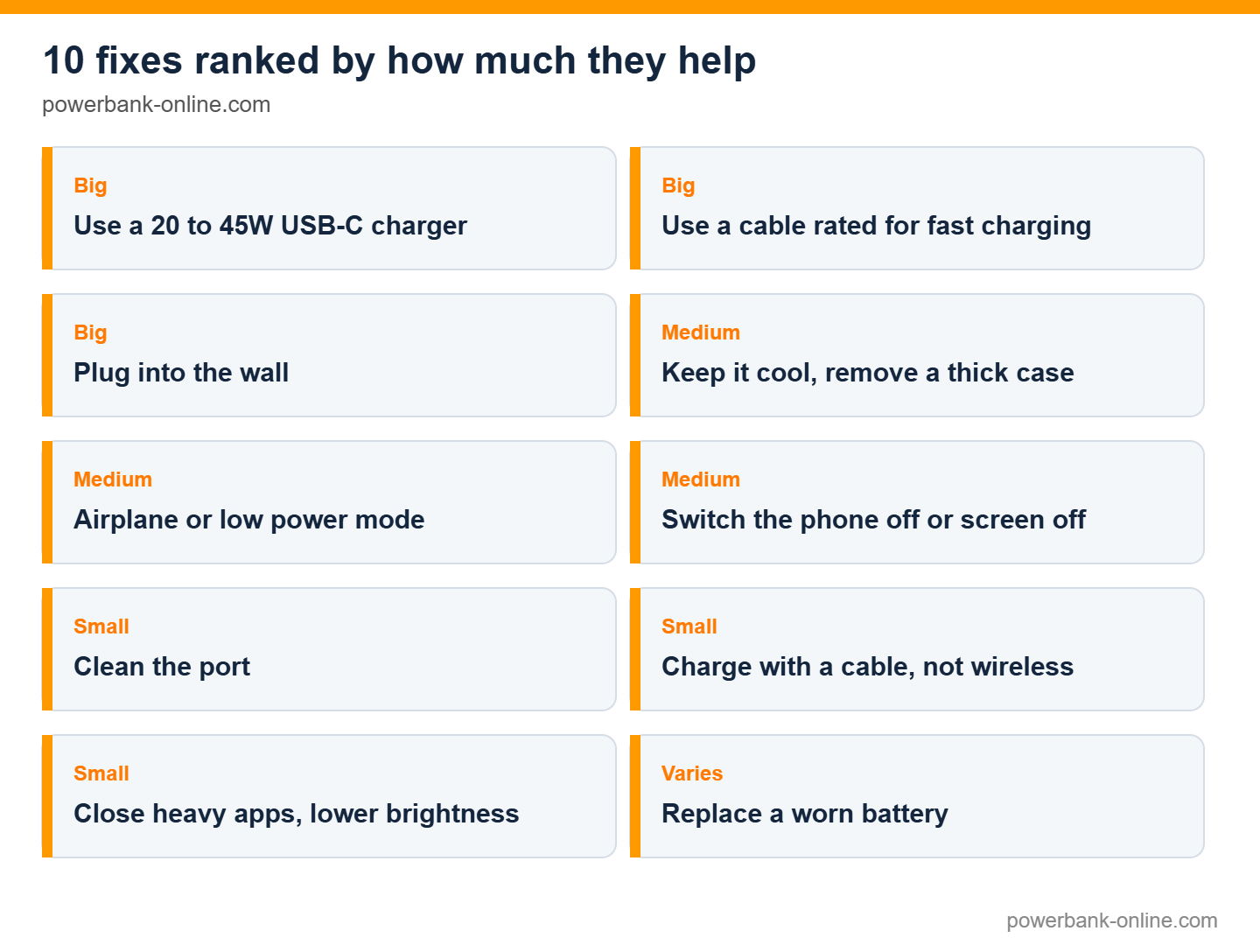
The 10 fixes, ranked by how much they help
1. Use the right charger
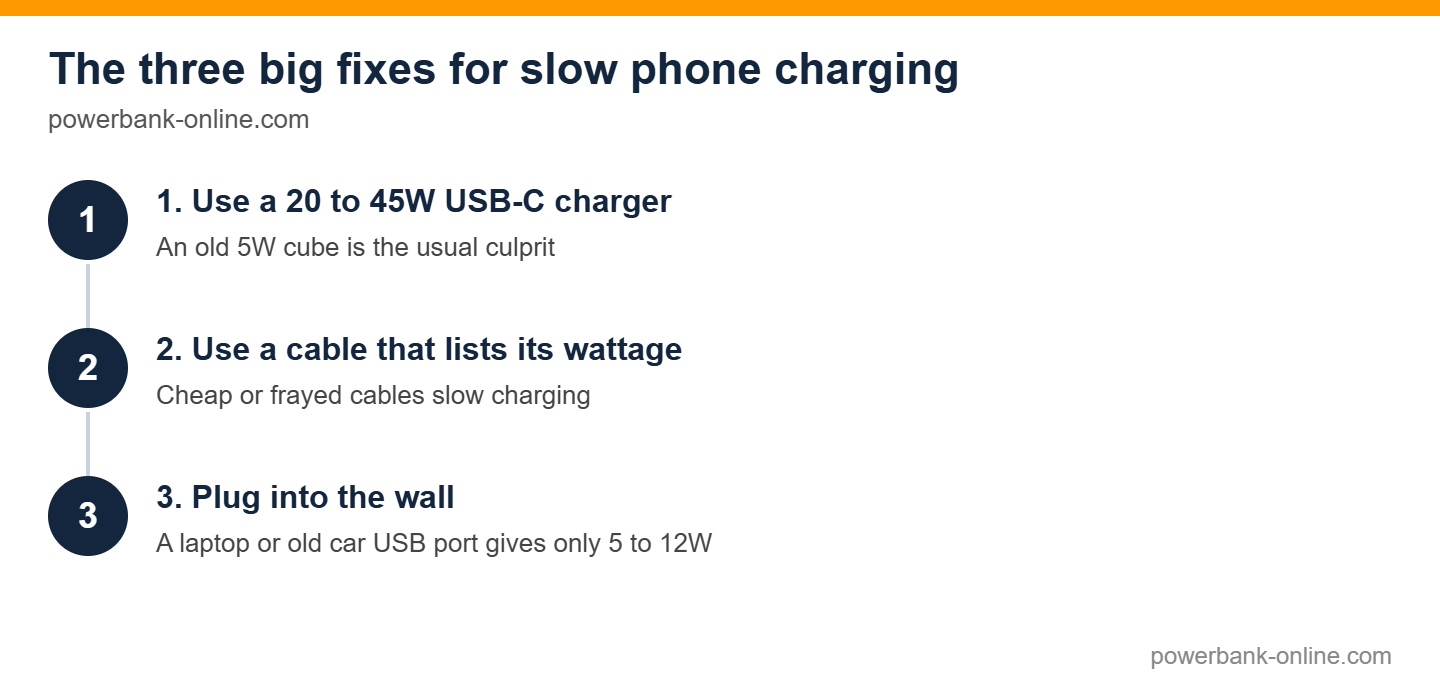
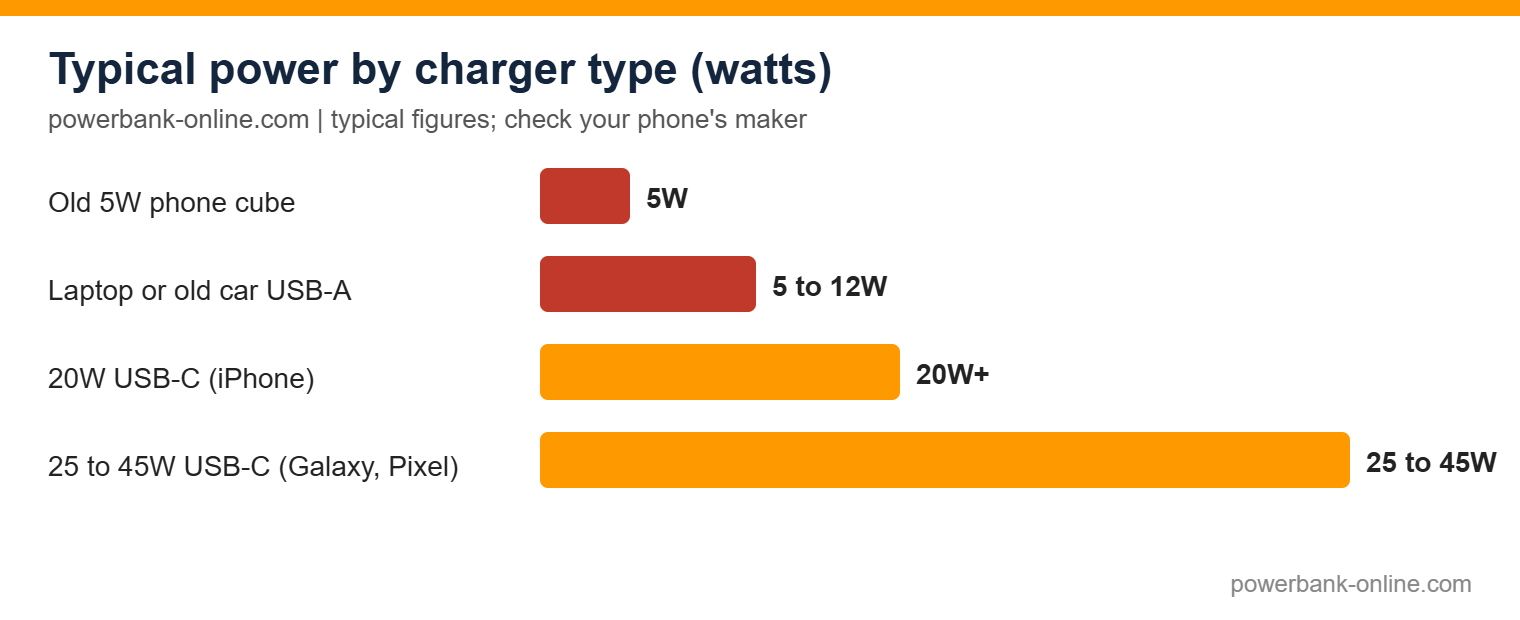
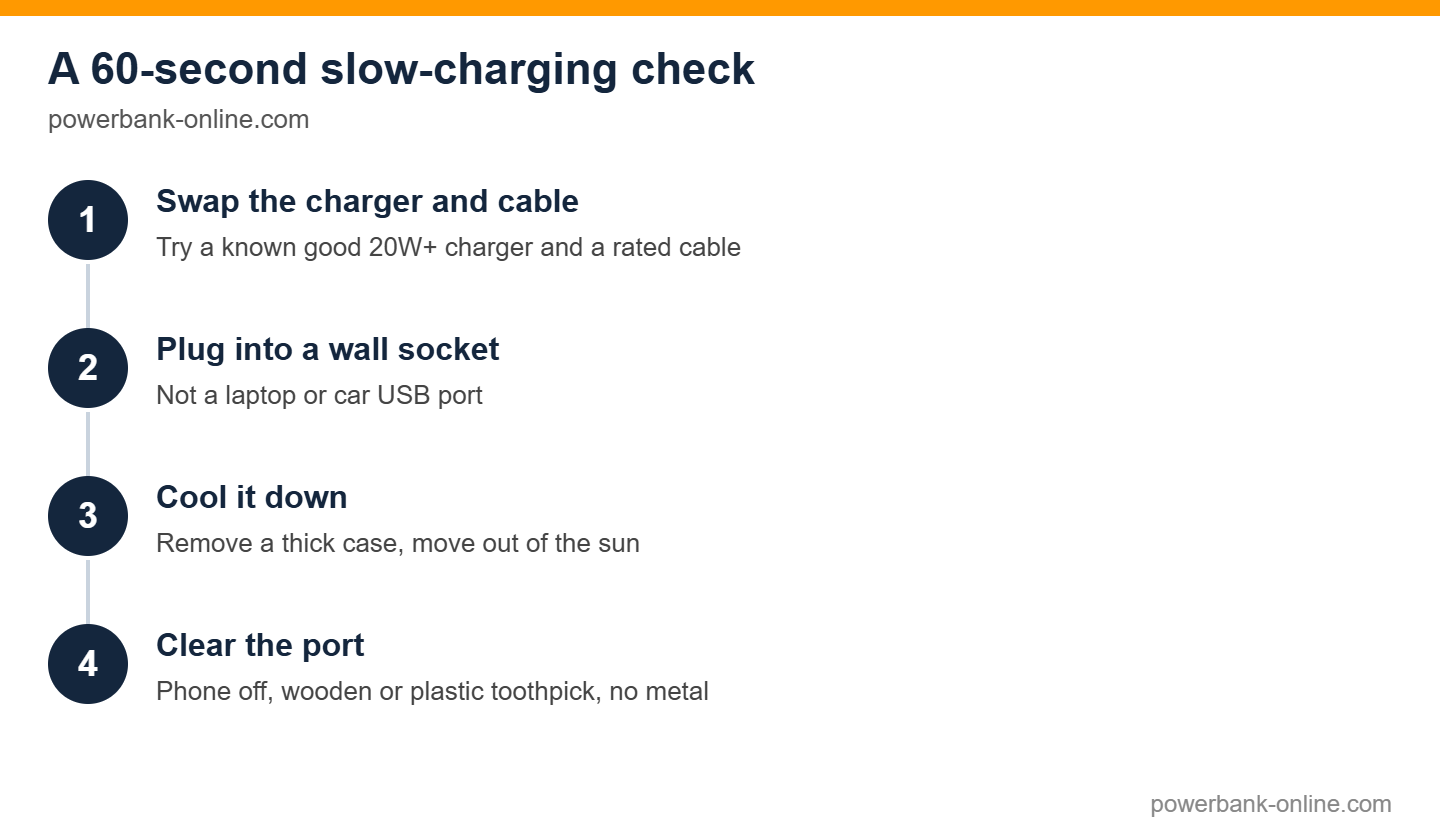
An old 5W cube that came with a phone years ago is the usual culprit. Use a USB-C Power Delivery charger of 20W or more for an iPhone, or 25 to 45W for a Galaxy or Pixel. Check your phone maker’s top charging speed, because a stronger charger than the phone supports will not hurt but will not help either.
2. Use a cable that can carry the power
Cheap or frayed cables slow charging or fail. Choose a USB-C cable that lists its wattage, and for an iPhone with a Lightning port use an MFi-certified cable.
3. Plug into the wall
A laptop USB port or a car’s old USB-A socket often delivers only 5 to 12W. A wall charger is the fastest option.
4. Keep it cool
Heat makes phones slow down charging to protect the battery. Take off a thick case, move out of direct sun and do not charge under a pillow.
5. Turn on airplane mode or low power mode
Your phone uses less power while charging when radios and background activity are reduced, so more of the charger’s power reaches the battery.
6. Switch the phone off or leave the screen off
A phone that is off charges fastest because nothing is drawing power.
7. Clean the port
Pocket lint can stop the cable seating properly. Switch the phone off and gently clear the port with a wooden or plastic toothpick. Do not use metal.
8. Charge with a cable
Wireless charging wastes more energy as heat and is usually slower than a cable at the same wattage.
9. Close heavy apps and lower brightness
Games, video and maps use power while you charge. Close them and the battery fills faster.
10. Replace an old battery
A battery that has lost much of its capacity charges less and may report low health. Check battery health in your phone’s settings, and consider a replacement if it is far below its original capacity.
Why charging slows after 80 percent
Most phones deliberately slow down once the battery reaches about 80 percent to protect it, so the last stretch takes longer than the first. This is normal and not a fault. If you are in a hurry, unplug at 80 percent.
Two products that make the biggest difference
If your phone still charges slowly, the charger and cable are the two items to replace first. Both were in stock with 4.0 stars or better and at least 200 ratings when we checked. We compared specs, tested-by-others results and real owner feedback; we did not run our own lab tests.
1. Anker 45W USB-C Charger, 2-Pack: Best charger fix
A compact 45W wall charger is enough for any phone and many tablets, and this one is sold as a 2-pack so you can keep one at home and one in your bag. The listing gives an 18-month warranty and 4.8 stars from about 5,933 ratings.
Score: 4 out of 5 (portability 5, output 3, warranty 3, owner rating 4.8)
Pros
- 45W covers every phone and many tablets
- 2-pack
- Top rating on this page
Cons
- 45W will not fully power a big laptop
- Warranty is 18 months
What owners say: 4.8 stars from about 5,933 ratings.
Buy it if Your phone still ships with, or uses, an old 5W cube. Skip it if You only charge a small device and already own a 20W+ USB-C charger.
See the See the Anker 45W charger on Amazon on Amazon →
2. Anker Zolo USB-C Cable, 240W, 6 ft: Best cable fix
A 6-foot USB-C to USB-C cable rated for 240W, so it will not be the bottleneck for any phone, tablet or laptop. It weighs 1.76 oz and holds 4.7 stars from about 6,803 ratings. We could not find a warranty length on the listing, so we scored that category 2.
Score: 4.2 out of 5 (portability 5, output 5, warranty 2, owner rating 4.7)
Pros
- 240W rating means it will not limit a phone
- 6 ft reaches from the wall to the bed or couch
- 4.7 stars from about 6,800 owners
Cons
- Warranty length not stated on the listing
- Overspecified for a phone alone
What owners say: 4.7 stars from about 6,803 ratings.
Buy it if Your current cable is frayed, thin or does not list watts. Skip it if Your phone has a Lightning port; this is USB-C only.
See the See the Anker Zolo cable on Amazon on Amazon →
Charging away from a wall socket
A power bank with USB-C Power Delivery charges just as fast as a wall charger. See our best 20,000mAh power bank guide. A basic power bank without fast charging can be slower than a wall charger.
How we score and choose
We chose two products that are in stock on Amazon with at least 4.0 stars and 200 or more ratings, because the charger and the cable are the two fixes most likely to help.
How we score
Each score is the average of four numbers out of 5. The rules are:
- Size: weight from the listing. Under 15 oz = 5.
- Output: power the product can deliver or carry. 140W or more = 5; 45 to 99W = 3.
- Warranty: 36 months or more = 5; 24 months = 4; 18 months = 3; 12 months or not stated = 2.
- Owner rating: the Amazon star rating itself.
| Product | Size | Output | Warranty | Owner rating | Score out of 5 |
|---|---|---|---|---|---|
| Anker Zolo 240W cable | 5 | 5 | 2 | 4.7 | 4.2 |
| Anker 45W charger 2-pack | 5 | 3 | 3 | 4.8 | 4 |
Scores are for comparison only; both are good buys if they fix your slow charging.
FAQ
Quick answers to the questions we hear most. Tap a question to open it.
Why you can trust this guide
What we did: we read the specs, warranty terms and owner-review summaries on each Amazon listing on 21 October 2026, and kept only products that met the rules above.
What we did not do: we did not test these products ourselves, and we do not claim to. The scores come from published specs and owner feedback, using the formula above.
How we earn: we are an Amazon Associate, so we earn from qualifying purchases at no extra cost to you. The scoring rules are the same for every product.

Last updated 21 October 2026. Specs and ratings were read from the Amazon listings on that date. If a spec has changed, tell us and we will correct it.
Related guides
- Why is my phone charging so slow
- Best 20,000mAh power bank
- How to charge a power bank
- Best power bank for mobiles
Disclosure: as an Amazon Associate we earn from qualifying purchases.