
Last updated 21 October 2026 | 9 minute read | Specs read from Amazon listings on 21 October 2026
The best power bank for a laptop is one whose USB-C Power Delivery output is at or above the watts on your laptop’s own charger. For a thin ultrabook that usually means 65W, and the INIU 20,000mAh 65W is our pick. For a 14-inch laptop, 100W is safer, and for a MacBook Pro class laptop you want 140W, which the Anker Prime 300W gives.
This guide helps you match a bank to your laptop, compares five power banks and shows how many laptop charges to expect. For more picks in the same area, see our portable laptop charger guide.
As an Amazon Associate we earn from qualifying purchases. This does not change what you pay.
Quick answer
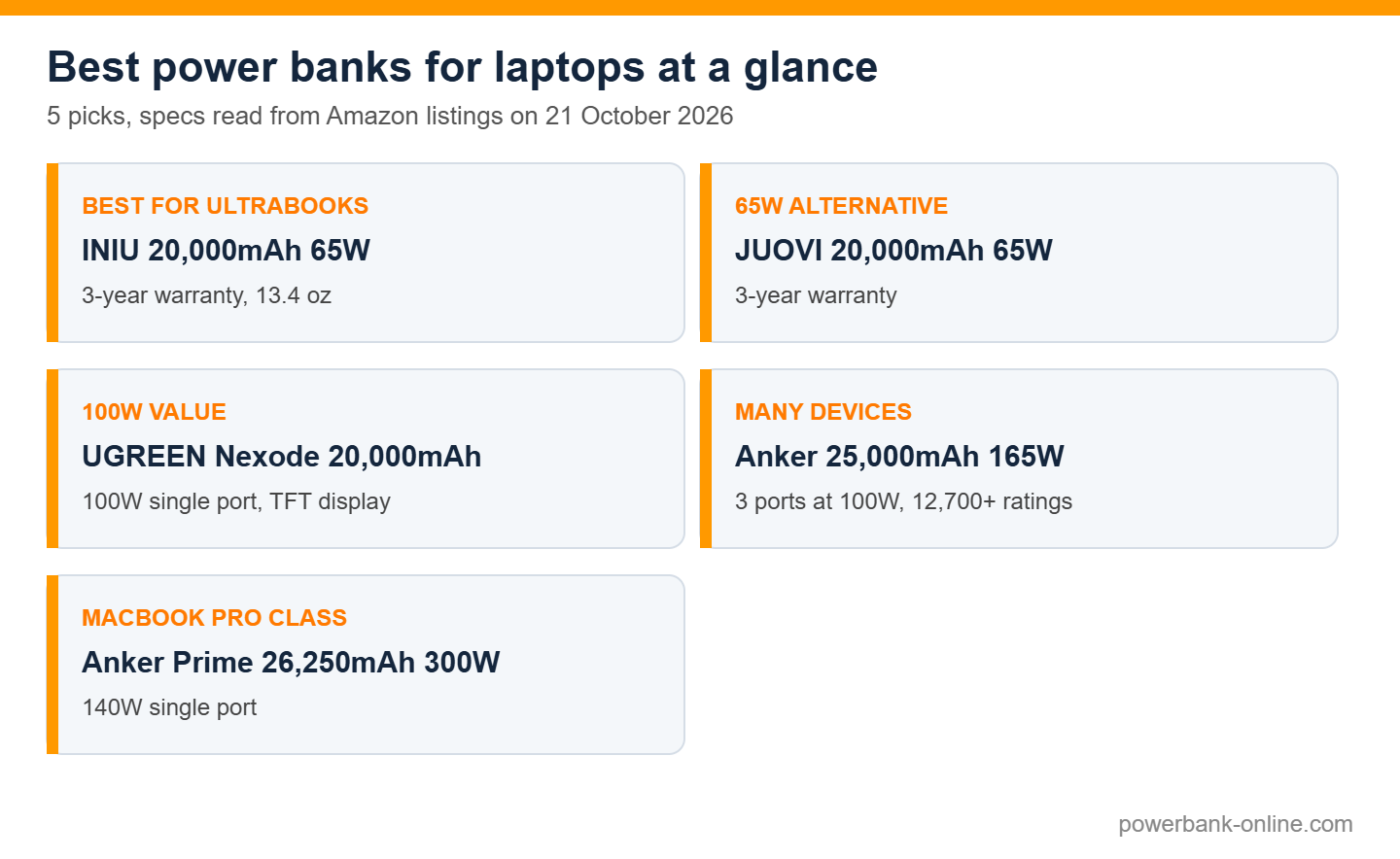
- Best for thin laptops (65W): INIU 20,000mAh 65W. 3-year warranty and 13.4 oz
- 65W alternative: JUOVI 20,000mAh 65W. 3-year warranty
- Best 100W value: UGREEN Nexode 20,000mAh. 100W on one port with a TFT display
- Best for many devices: Anker 25,000mAh 165W. three 100W ports and over 12,700 ratings
- Best for MacBook Pro class: Anker Prime 26,250mAh 300W. 140W on one port
Comparison table
| Model | Max single port | Capacity | Weight | Best for | Score |
|---|---|---|---|---|---|
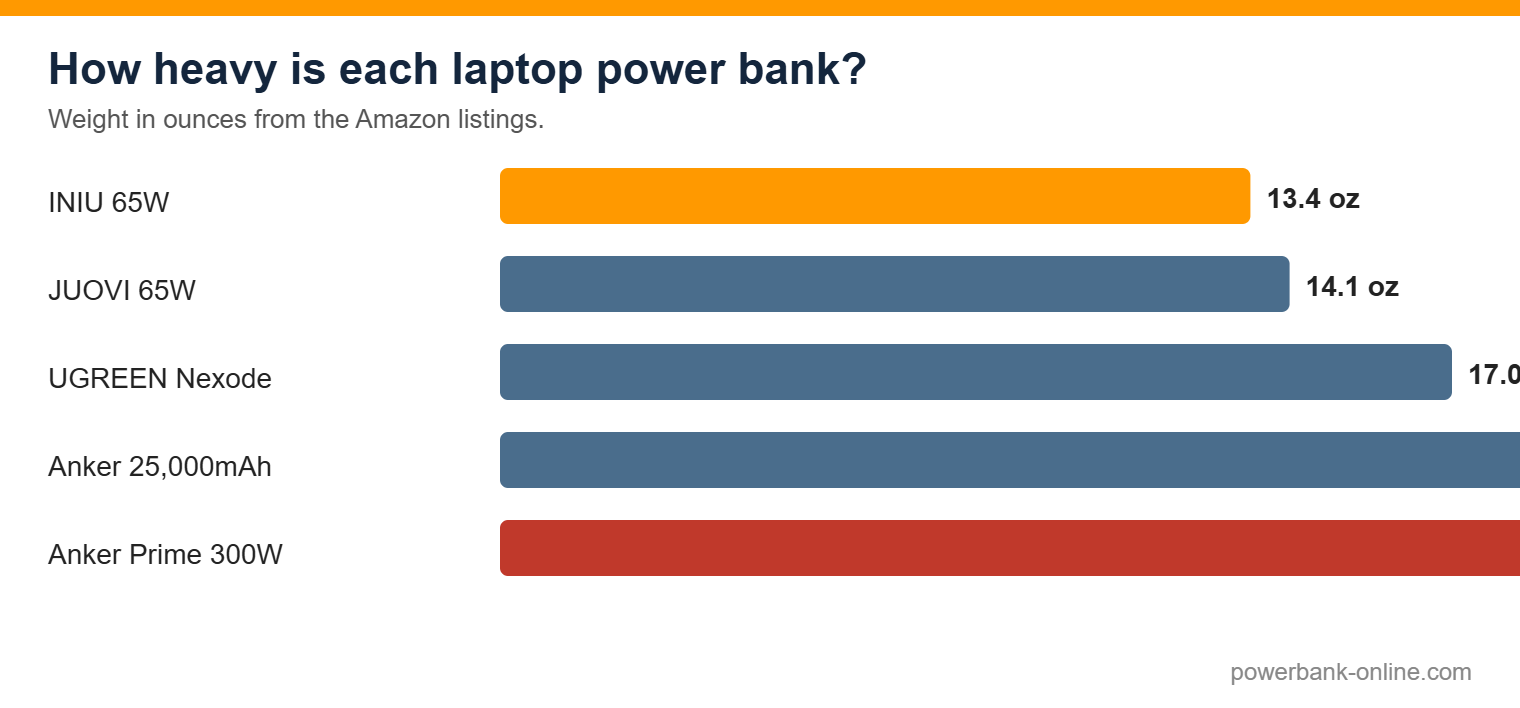
| INIU 65W | 65W | 20,000mAh | 13.4 oz | Thin laptops | 4.0 |
| JUOVI 65W | 65W | 20,000mAh | 14.1 oz | Thin laptops | 3.7 |
| UGREEN Nexode | 100W | 20,000mAh | 17 oz | 14-inch laptops | 3.5 |
| Anker 165W | 100W per port | 25,000mAh | 21 oz | Laptop plus phone | 3.5 |
| Anker Prime 300W | 140W | 26,250mAh | 21.1 oz | 16-inch Pro laptops | 3.8 |
Power banks for laptops: five picks matched to laptop size
All five are in stock on Amazon with at least 4.3 stars and more than 1,000 ratings. We use the highest single-port output to score them, because that is the number that has to match your laptop. Scores use the formula in the scoring section below.
1. INIU 20,000mAh 65W Laptop Power Bank: best for thin laptops and ultrabooks
For a thin laptop that charges at 65W or less, this is the bank to buy. It outputs up to 65W, holds 20,000mAh and weighs 13.4 ounces, the lightest here. It has a 3-year warranty and 4.3 stars from about 5,100 ratings.
It can also charge a phone and a tablet. It will not run a laptop that needs more than 65W at full speed.
Score: 4 out of 5 (portability 4, output 3.5, warranty 4, owner rating 4.3)
Pros
- 65W output
- 13.4 oz, the lightest here
- 3-year warranty
- About 5,100 ratings
Cons
- Not enough for 100W laptops
- Only about 0.9 of a laptop charge
- 4.3 stars is slightly below the others
What owners say: Owners praise the size and the way it charges thin laptops and phones. Complaints are about it being too weak for bigger laptops.
Buy it if your laptop’s charger says 65W or less. Skip it if your laptop needs 100W.
See the INIU 20,000mAh 65W on Amazon →
2. JUOVI 20,000mAh 65W Laptop Power Bank: 65W alternative
The JUOVI is another 65W, 20,000mAh option with a 3-year warranty. It weighs 14.1 ounces and holds 4.4 stars from about 1,000 ratings, fewer than the INIU. The listing also gives a 27W USB-A rating.
Choose it if the INIU is out of stock, or if you prefer its layout.
Score: 3.7 out of 5 (portability 3, output 3.5, warranty 4, owner rating 4.4)
Pros
- 65W output
- 3-year warranty
- 4.4 stars
- Charges a laptop and a phone
Cons
- Only about 1,000 ratings
- 14.1 oz
- Same 65W ceiling as the INIU
What owners say: Owners like the output for the size. Complaints are mostly about wanting more watts.
Buy it if you want a 65W bank and the INIU is not available. Skip it if your laptop needs more than 65W.
3. UGREEN Nexode 20,000mAh 130W Power Bank: best 100W value
The UGREEN Nexode gives 100W on its main USB-C port and a small TFT display that shows what is flowing in and out. It holds 20,000mAh, weighs about 1.06 pounds (17 ounces) and has 4.5 stars from about 4,800 ratings.
The other ports are slower: the second USB-C is 30W in the listing and the USB-A is 5W. We did not find a warranty length on the listing, so it gets the lowest warranty score.
Score: 3.5 out of 5 (portability 3, output 4.5, warranty 2, owner rating 4.5)
Pros
- 100W main port
- TFT display
- 4.5 stars from about 4,800 ratings
- Charges many 14-inch laptops
Cons
- No warranty length found
- Second port is slower
- 17 oz
What owners say: Owners like the display and the power for the size. Complaints are about the secondary ports being slower.
Buy it if you have a 14-inch laptop and want a screen on the bank. Skip it if you want a clear warranty.
See the UGREEN Nexode 20,000mAh on Amazon →
4. Anker 25,000mAh 165W Laptop Power Bank: best for many devices
The Anker has three USB-C ports of up to 100W each, 165W total and a 25,000mAh battery. It can charge two laptops, or a laptop, a tablet and a phone, at once. It holds 4.4 stars from more than 12,700 ratings and has an 18-month warranty.
It is heavy, about 21 ounces. At 92.5 Wh it can fly in carry-on luggage.
Score: 3.5 out of 5 (portability 2, output 4.5, warranty 3, owner rating 4.4)
Pros
- Three 100W ports
- 165W total
- More than 12,700 ratings
- Under the 100 Wh airline limit
Cons
- Heavy at about 21 oz
- 18-month warranty
- More than a single laptop needs
What owners say: Owners like charging several things at once. Complaints are about the weight.
Buy it if you charge more than one laptop or many devices. Skip it if you want the lightest bank.
See the Anker 25,000mAh 165W on Amazon →
5. Anker Prime 26,250mAh 300W Power Bank: best for MacBook Pro class laptops
The Prime is the one for big laptops. It gives up to 140W on a single USB-C port and 300W across its ports, and the listing says it can power two MacBook Pros at full speed. It holds 26,250mAh, which is 99.75 Wh, just under the 100 Wh airline limit.
It weighs 1.32 pounds (about 21 ounces), has a 24-month warranty and holds 4.6 stars from about 1,800 ratings. The 140W output is limited when the battery is low.
Score: 3.8 out of 5 (portability 2, output 5, warranty 3.5, owner rating 4.6)
Pros
- 140W single port
- 300W total output
- 99.75 Wh, airline-legal
- 4.6 stars
Cons
- Heavy at about 21 oz
- Fewer ratings than the 165W Anker
- 140W output drops when the battery is low
What owners say: Owners praise the power and the build. Complaints are about the weight and the price you pay for the extra power.
Buy it if you have a 16-inch or Pro laptop that needs 100W or more. Skip it if you have a thin laptop that charges at 65W.
See the Anker Prime 300W on Amazon →
How to match a power bank to your laptop
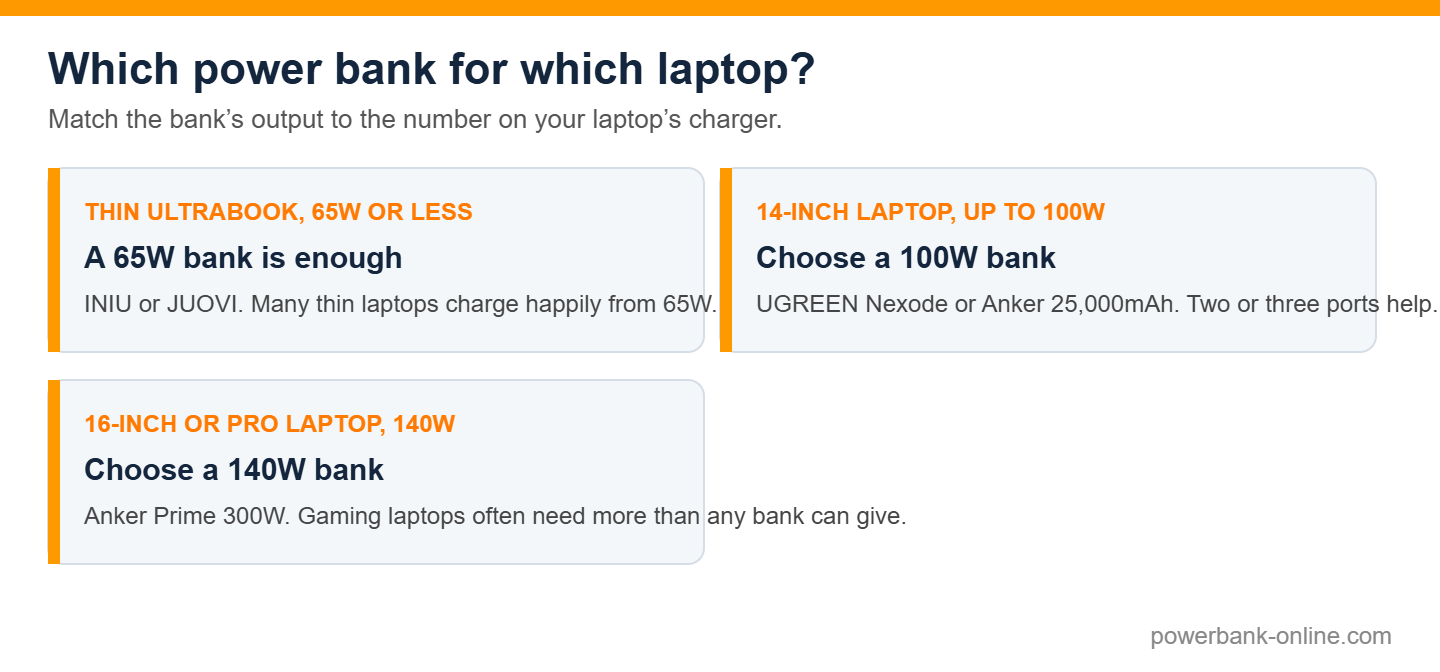
Look at the charger that came with your laptop. The label says how many watts it delivers. A power bank needs to deliver about the same on a single USB-C port. A bank with less will still charge the laptop, but slowly, and it may not keep up while you work.
| Laptop type | Typical charger | Bank to choose |
|---|---|---|
| Thin ultrabook | 45W to 65W | 65W bank |
| 14-inch laptop | 65W to 100W | 100W bank |
| 16-inch or Pro laptop | 100W to 140W | 140W bank |
| Gaming laptop | 180W or more | No bank can run it at full speed |
These are typical figures. Always read the number on your own charger.
Which banks have the output you need?
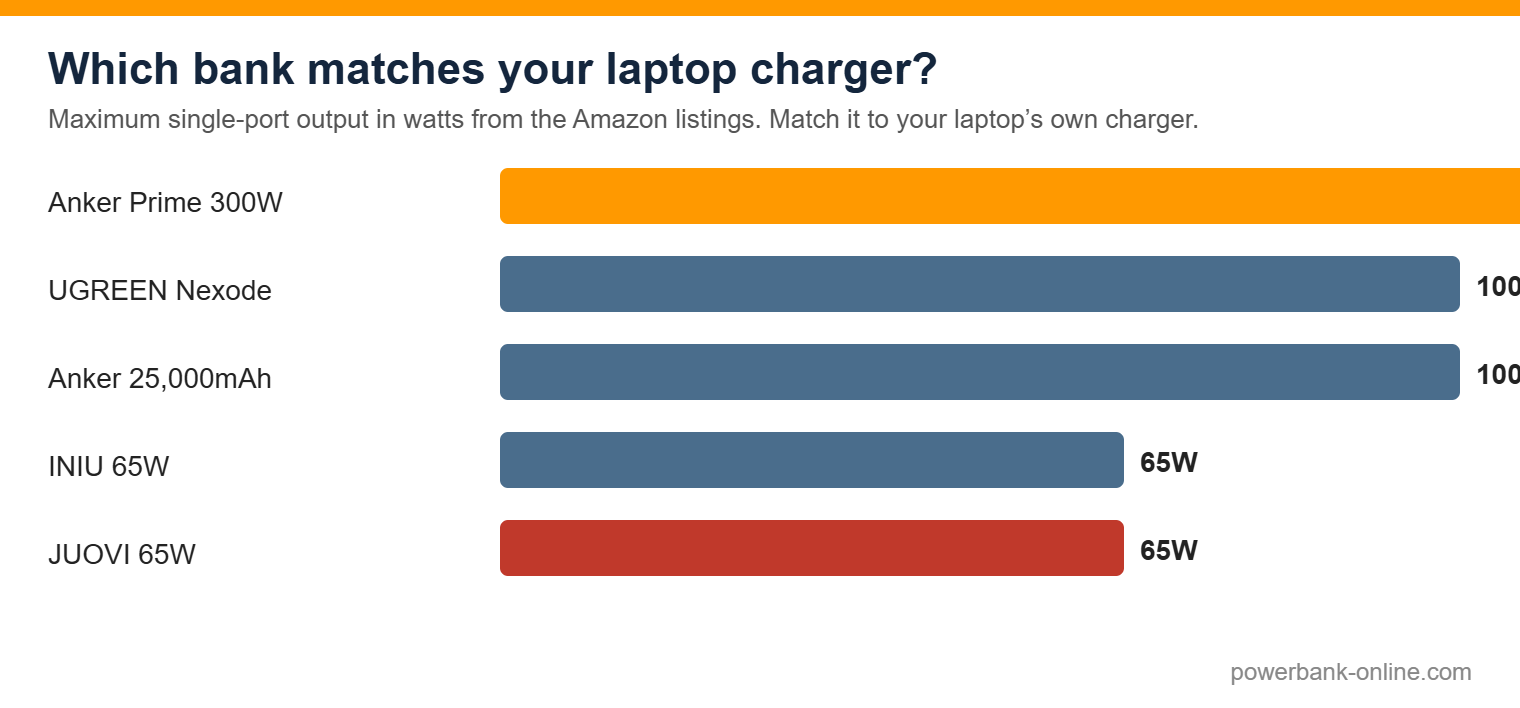
Remember that the number on the box is often total output. What matters for a laptop is the maximum on a single USB-C port.
How many laptop charges do you get?
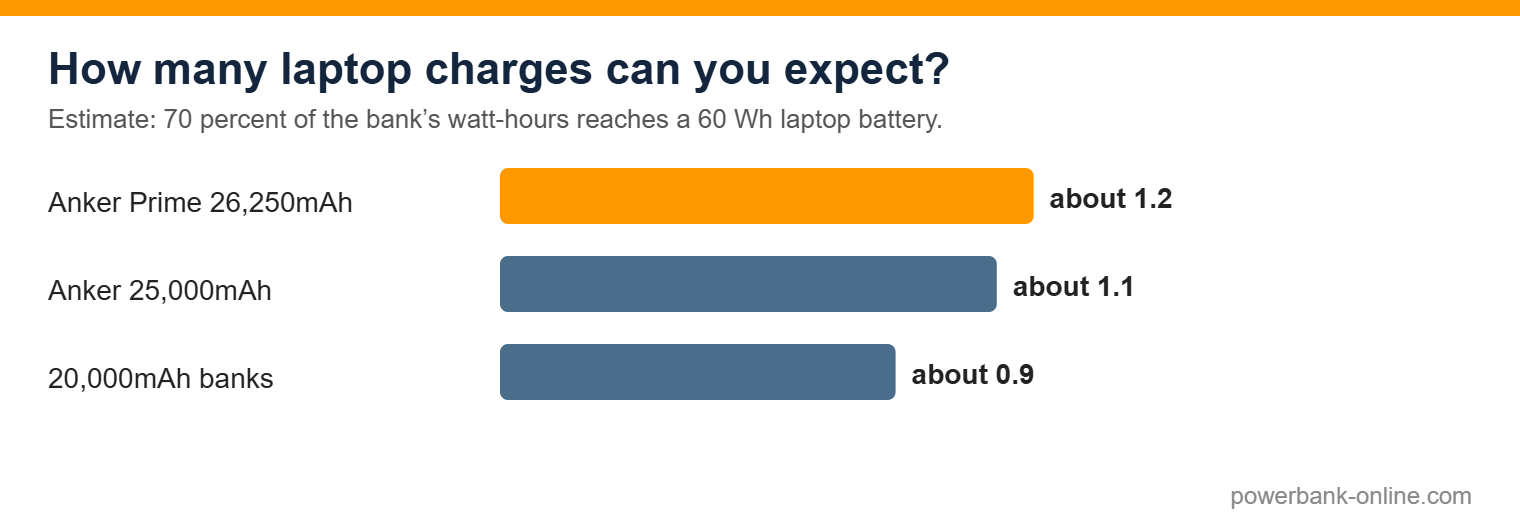
A laptop battery is measured in watt-hours. Power banks lose some energy in conversion, so we assume about 70 percent reaches the laptop. For a typical 60 Wh laptop battery, that gives the estimate in the chart.
| Bank | Watt-hours | Charges of a 60 Wh laptop |
|---|---|---|
| 20,000mAh banks | about 74 Wh | about 0.9 |
| Anker 25,000mAh | about 92.5 Wh | about 1.1 |
| Anker Prime 26,250mAh | 99.75 Wh | about 1.2 |
This is an estimate. Heavy use, a bigger laptop battery or a hot day will lower it.
How to choose a power bank for a laptop
1. Start with your charger’s watts
Match or beat the number on your charger. If you are unsure, go one step up.
2. Check the single-port output
A bank may advertise 300W but only give 140W on one port. Your laptop uses one port.
3. Use a good USB-C cable
For 100W and above, use a cable rated for it. A cheap cable can limit the power.
4. Mind the weight
Laptop banks weigh 13 to 21 ounces. The weight chart above shows the range.
5. Think about flying
Airlines limit power banks to 100 Wh in carry-on bags. All five here are under it. Never pack one in checked luggage.
6. Check the warranty
The INIU and JUOVI give 3 years. The Anker banks give 18 to 24 months. The UGREEN did not show a length.
For very large capacity, see our best high capacity power bank guide.
How we score and choose
We want the picks to be easy to check. Our picks are based on manufacturer specifications, independent reviews and thousands of customer reviews. We compared specs, tested-by-others results and real owner feedback to choose these five.
How we score
Each score is the average of four numbers out of 5. The rules are the same for every product.
- Portability by weight: 14 oz or less scores 4, over 14 and up to 18 oz scores 3, and over 18 oz scores 2.
- Output by maximum single-port watts: 140W scores 5, 100W scores 4.5, and 65W scores 3.5.
- Warranty by length: 3 years scores 4, 24 months scores 3.5, 18 months scores 3, and no length shown scores 2.
- Owner rating is the star rating shown on Amazon on 21 October 2026.
| Product | Portability | Output | Warranty | Owner rating | Score out of 5 |
|---|---|---|---|---|---|
| INIU 65W | 4 | 3.5 | 4 | 4.3 | 4.0 |
| JUOVI 65W | 3 | 3.5 | 4 | 4.4 | 3.7 |
| UGREEN Nexode | 3 | 4.5 | 2 | 4.5 | 3.5 |
| Anker 165W | 2 | 4.5 | 3 | 4.4 | 3.5 |
| Anker Prime 300W | 2 | 5 | 3.5 | 4.6 | 3.8 |
Scores favour lighter banks, so the big banks score lower even though they do more. Choose by your laptop’s watts first, then use the score to pick between banks of the same class. The score is a guide, not the final word.
FAQ
Quick answers to the questions we hear most. Tap a question to open it.
Why you can trust this guide
What we did: we read the specs, warranty terms and owner-review summaries on each Amazon listing on 21 October 2026, and kept only products that met the rules above.
What we did not do: we did not test these products ourselves, and we do not claim to. The scores come from published specs and owner feedback, using the formula above.
How we earn: we are an Amazon Associate, so we earn from qualifying purchases at no extra cost to you. The scoring rules are the same for every product.

Last updated 21 October 2026. Specs and ratings were read from the Amazon listings on that date. If a spec has changed, tell us and we will correct it.
Related guides
- Portable laptop charger
- Best high capacity power bank
- Biggest power bank charger capacity
- Best charging stations for multiple devices
- Best power bank for mobiles
- Power bank safety
Disclosure: as an Amazon Associate we earn from qualifying purchases.